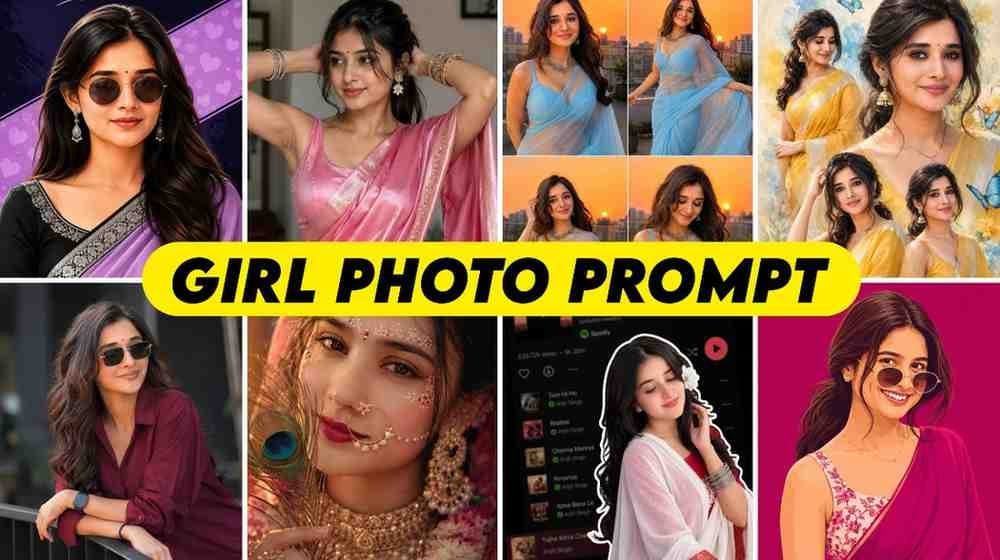
In simple words, Gemini AI Photo Prompt Copy Paste Trending Girl is some text. This text helps Gemini make or change new photos of girls. You can give your picture to Gemini. Then you can write in easy words what kind of picture you want. For example, you can ask for a picture in a saree, a picture in a churidar, a wedding picture, or a picture standing in a nice place. Gemini will try to understand your words and make or change the picture.
Many people have some problems when they make photos with Gemini for the first time. They do not understand where to give their picture, where to write the prompt, or how to tell their favorite style. Also, some people write the prompt nicely but still do not get the photo they wanted. The face changes for some people, the dress does not look right for some, or the background is not good. You do not need to worry about these problems. If you write the prompt in an easy way and ask for one change at a time, you can get good results.
When I worked with these prompts, I saw that writing just one short sentence does not always give the photo you want. If you say make a photo of a beautiful girl, Gemini will not understand what dress you want, what background you want, or how the picture should look. But if you say clearly what the girl will wear, where she will be, how she will stand, and how the light will be, then it becomes easy to explain. So here, we will not only share prompts, but also show you how to use and change prompts easily for your needs.
Why This Gemini AI Photo Trend Is Going Viral on Instagram
On Instagram and Facebook, people easily see new photo styles from each other and try them. One person uses a new saree style on their photo, and another person sees that idea and uses a different saree color on their photo. Some people add a new background to the same photo, some add a wedding dress, and some make their photo in a nice style. In this way, one idea leads to another new idea, and that is why people are growing more interested in these Gemini photo prompts.
Another big reason is that you do not need to learn a lot of photo editing for this work. If you can tell Gemini in simple words what you want, then it can try to make or change the picture based on your words. Suppose you have a simple photo, but you want to see it with a saree in another place. Then, instead of editing many things by hand, you can use a prompt to tell what you want. Of course, you may not get the right result on the first try every time, so changing the prompt after seeing the result is very normal.
What You Need Before You Start Editing
You do not need many things to make photos of girls with Gemini. You need a mobile phone or a computer, an internet connection, and access to Gemini. Along with this, you need a clear picture of yourself. The clearer the picture is, the easier it is for the AI to understand the face and body parts. It is better not to start with very dark photos, photos taken from far away, or very blurry photos.
When choosing a photo, try to pick one where the face is clearly seen and the lighting is good. If you want to make a saree style or another dress style, using a simple photo can make the work easy. Of course, the result can change based on the type of photo. So if one photo does not work, you can try again with another clear photo.
Next, you will need a good prompt. A prompt means your instructions given to Gemini. You can use the prompts given in this article, or you can write your own. Writing your own prompt may feel hard at first, but it is actually very easy because you only have to say what you want in the picture. For example, what the dress will be, where the background will be, how the girl will stand, and how the picture will look. Writing these words simply is enough to start.
How to Create a Photo Using Gemini AI, Copy and Paste the Prompt
First, open Gemini on your mobile phone or computer. Then upload your own photo in the image box. After uploading the photo, write or copy and paste the prompt you want to use in the prompt area. When giving a prompt, do not just say I want a beautiful picture. Say clearly what you want in the picture. For example, what the saree color will be, what the background will be like, where the girl will stand, and how the lighting will be. Writing these makes your request clearer.
Then send the prompt and see what result Gemini makes. If the photo is not to your liking the first time, do not worry. You can say again, change the saree color, make the background nicer, keep the real face as similar as possible, or make the picture light softer. In this way, you can ask for small changes after seeing the previous result. Instead of changing many things at once, making slow changes will help you understand what words bring what results.
It is important to remember one thing here. Even if you use the same prompt, everyone will not get the same result in their photos. The result can change based on your original photo, light, face position, and the language of the prompt. So do not expect the exact same result just because someone else got a very nice photo. It is better to change the prompt a little for your own photo. Once you understand this rule, photo editing with Gemini will feel very easy to you.
Trending Prompt Styles You Can Try Right Now
Many types of styles can be used for girls photo editing. You can make a picture wearing a saree, or you can try a churidar, traditional dress, wedding look, or a simple portrait style. If someone likes a different kind of picture, they can use an aesthetic background, an outdoor look, or a portrait style with nice light. Different prompts will be given for these styles, so you do not have to write all the prompts yourself. You can take the prompt for the style you like and try it with your picture.
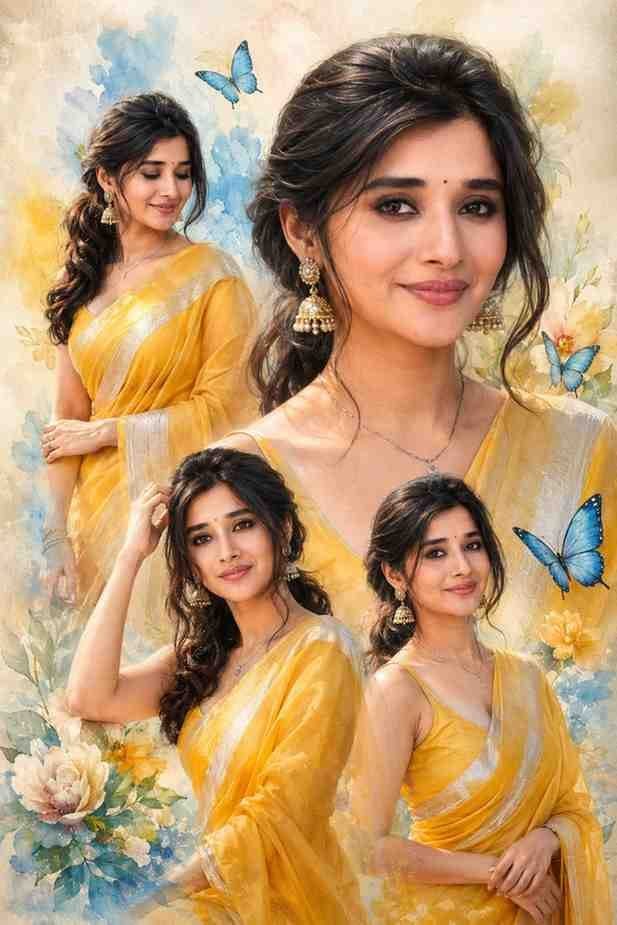
Premium elegant saree collage portrait of the uploaded woman, preserving her face accurately. She wears a royal yellow silk saree with silver border, soft curled ponytail, golden jhumka earrings and delicate necklace, with graceful poses and a large close-up portrait. Add blue butterflies, pastel floral decorations and a dreamy watercolor background. Luxury magazine-style collage, soft cinematic lighting, ultra-realistic DSLR photography, highly detailed, 8K.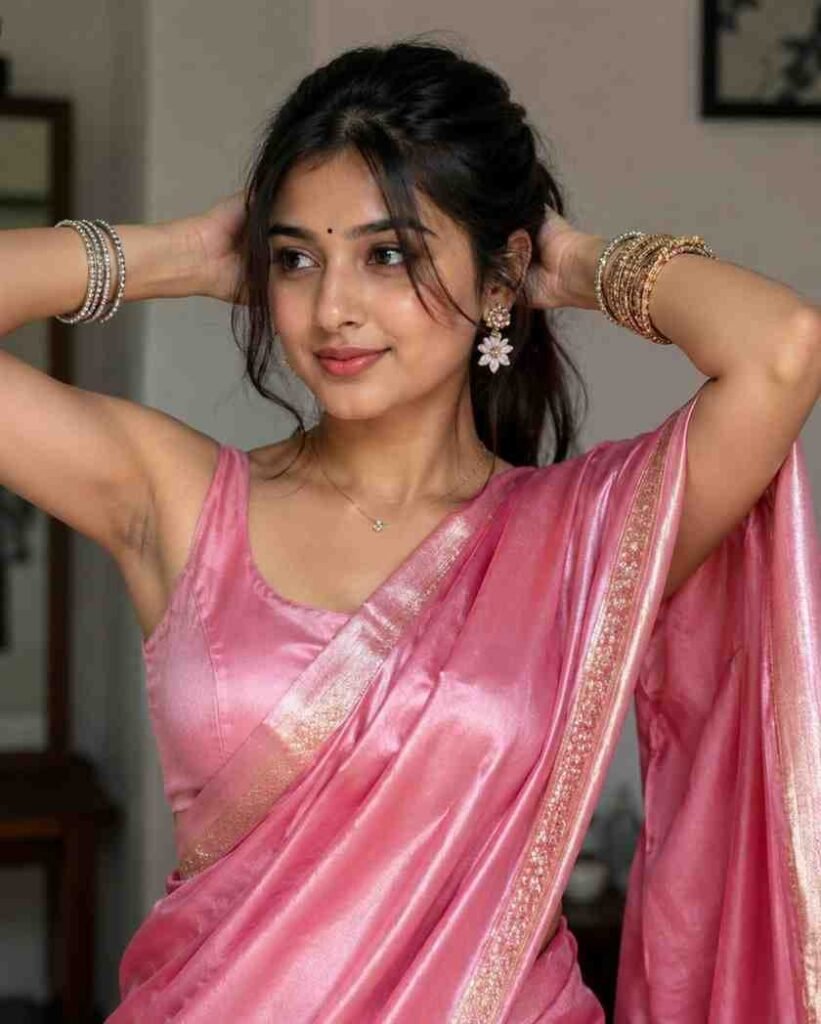
Ultra-realistic 4K portrait of an Indian woman wearing an elegant pink saree with a matching blouse and delicate golden border details. She is indoors in a graceful pose, gently arranging her long dark hair. Her hair is styled naturally with a few soft strands framing her face. She has a small traditional bindi, natural makeup, a warm expression, and expressive eyes. She is wearing traditional jewelry, including decorative bangles, floral earrings, and a delicate necklace. Soft, even indoor lighting highlights the detailed saree fabric and jewelry. The background is a simple, softly blurred room with neutral surroundings and minimal visual elements. Photorealistic quality, natural skin texture, sharp facial details, balanced composition, refined traditional fashion photography, realistic colors, high detail.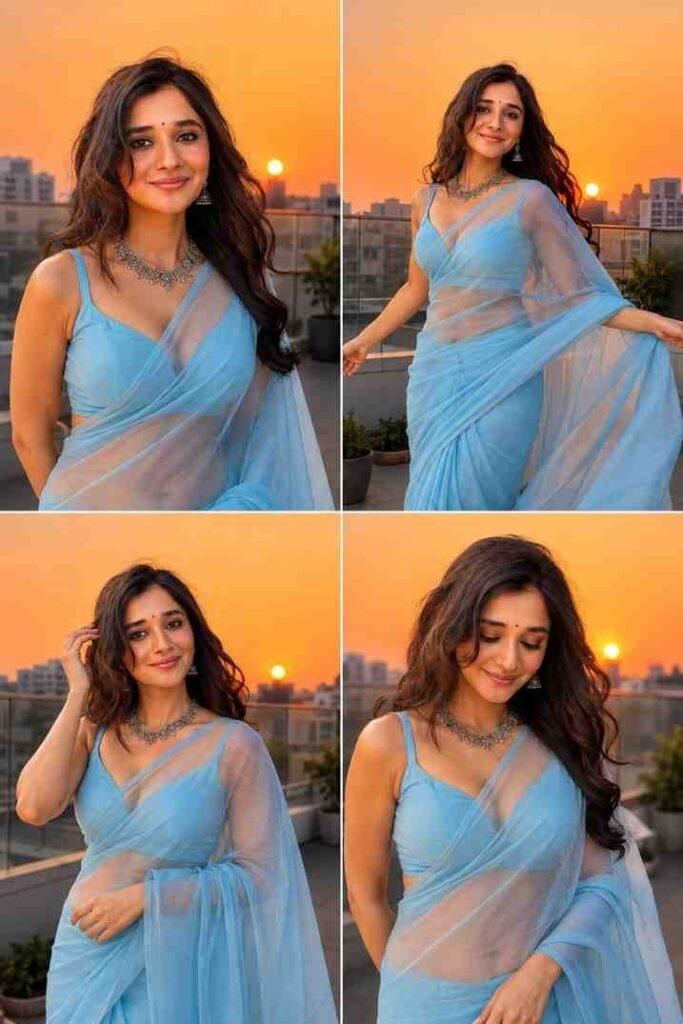
Create a photorealistic four-panel 2×2 portrait collage of a South Asian woman wearing an elegant sky-blue saree with a matching blouse, standing on a modern rooftop terrace during sunset. The background features a warm golden-orange sky, a glowing sun near the horizon, soft evening light, a city skyline, terrace railings, and a few plants. She has long flowing dark hair, a small traditional bindi, natural makeup, and traditional silver necklace and earrings. Show four graceful natural poses: smiling toward the camera, gently moving with the evening breeze, adjusting her hair, and looking downward with a calm expression. Keep the composition elegant, natural, culturally appropriate, realistic, and visually refined. Use realistic skin texture, detailed saree fabric, soft golden-hour lighting, natural expressions, and a sophisticated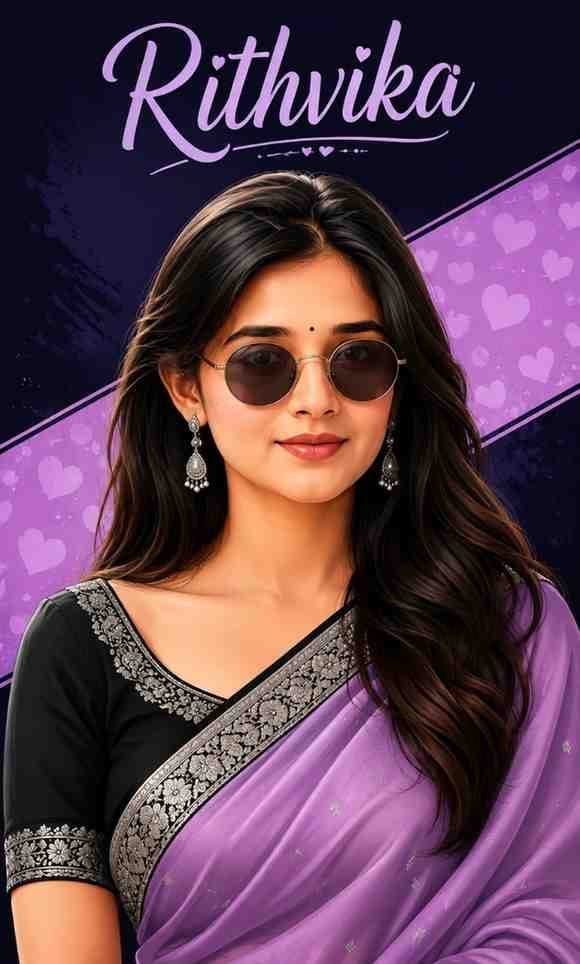
Stylized 2D digital illustration of the uploaded woman, preserving her facial identity and features accurately, with her head facing straight toward the camera. Middle-parted long dark wavy hair, small black bindi, round dark-tinted sunglasses with metallic frames, elegant silver drop earrings. She wears a beautiful lavender-purple saree draped over a black blouse, featuring intricate silver embroidered floral borders. Deep navy-purple background with a diagonal pastel-purple banner decorated with subtle heart patterns. Clean vector-style digital art, modern chic aesthetic, vibrant colors, highly detailed face and clothing, polished professional poster design, soft cinematic lighting, sharp clean details, 3:5 vertical ratio. Add the text “Rithvika” prominent…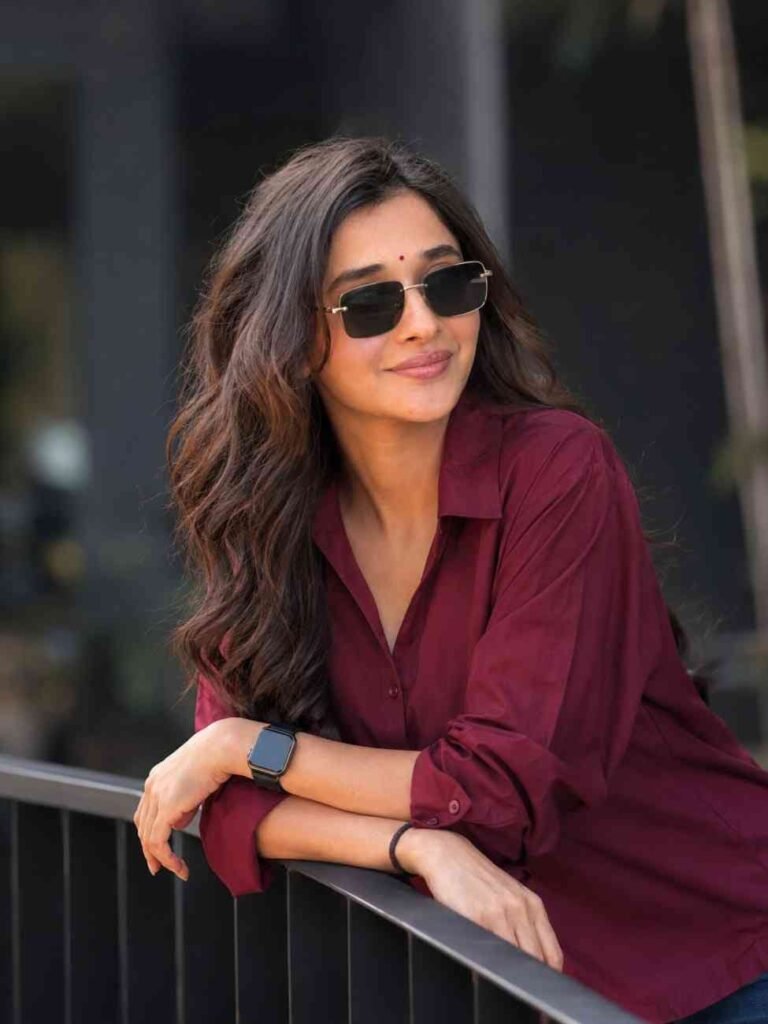
Create a photorealistic outdoor portrait of the uploaded girl, preserving her face and facial features exactly as in the reference image. She is leaning casually on a black railing with both arms resting on the support, wearing a stylish bright maroon shirt, a smartwatch, and trendy square sunglasses. Her hair is long, stylish, and naturally flowing. Capture the shot from a slight side angle while she looks naturally to the side. Use soft natural daylight, a smooth dark-grey blurred background, shallow depth of field, candid lifestyle photography, DSLR-quality details, realistic skin and fabric texture, sharp focus, and a premium cinematic look.How to Write Your Own Girls Prompt If You Want to Customize
Using a prompt from someone else is easy, but writing your own prompt makes the work even easier. Because then you can tell Gemini the photo you have in your mind in your own words. When writing your own prompt, just think of answers to a few simple questions first. Who will be in the picture, what dress they will wear, where they will be, how they will stand, and how the picture will look. Knowing these few points is enough to start.
Suppose you want a photo of a girl wearing a saree. First, say that a girl is wearing a saree. Next, say the color of the saree. Then say where the girl is standing. After that, say how her pose will be and how the light will be in the picture. Finally, you can say that the photo should look clear and real. You do not need to write these words in a hard way. You can write just like you would explain to a person.
When making your own prompt, you can remember one simple rule, who, what they wear, where they are, what they do, and how the picture will look. Having these five things is a good start. Then, after seeing the result, you can add more words if needed. For example, if you want to change the hair style, change the background, or change the dress color, you can add that word later. You do not need to write everything at once and make the prompt big.
If you want, you can take an old prompt and make a new prompt in your own way. Suppose red saree is written in a prompt, you can change it to blue saree. If the background is inside a room, you can make it a flower garden. In this way, by making a few small changes, a new prompt can be made. If you try like this for a few days, writing prompts will not feel hard to you anymore.
Gemini Prompt Girl vs Other AI Photo Editing Tools
Now many types of AI photo editing tools are available. In some tools, there are many buttons to edit photos, and you have to make changes by hand. In other tools, you can just say what you want using text. In Gemini, you can try editing your photo using text prompts, so even people who do not know much editing may find this way easy.
When using Gemini, you can give instructions like talking to someone. For example, you can say, put a saree on the girl in the picture, change the background, and keep the real face as similar as possible. Then, after the result is made, you can say, make the saree color blue or make the background simpler. In this way, because you have the chance to make step by step changes in the same chat, many people find the work easy.
However, it is not right to say that Gemini will always be better than all other tools. Which tool will be good for you depends on your work. If you want to change very small things by hand, you may like other editing tools more. And if you want to change pictures by speaking words, Gemini can be handy for your work.
Remember another thing, pictures made with AI can sometimes have small mistakes. A part of the dress may not look right, the shape of jewelry may change, or the background may not be like your words. So instead of deciding only by the tool name, it is better to see which gives good results for your work and use that.
Tips to Get the Best Results From Your Girl Photo Editing
To get good results, use a clear picture first. Make sure the face can be seen clearly and the light is not too low. If you use a photo where the face is very small or blurry, it can be hard for Gemini to understand face details. So choosing a good original photo at the start is very important.
Then keep the prompt simple and clear. Say directly what you want. For example, if you want a saree, talk about the saree. Say what color you want. Say where you want the background. You can also say what kind of lighting you want in the picture. This helps Gemini understand your idea easily.
It is better not to try making many changes at once. Suppose you want to change dress, hair, background, pose, lighting, and face all at the same time. This may not give the result you expect. Instead, change the dress first. Then see the result and change the background. After that, if needed, change the lighting or other things.
Another simple trick is to look at the first result and see which part you did not like. If the dress is good but the background is not good, ask to change only the background. If the background is good but you do not like the dress color, ask to change only the color. Working one by one like this increases the chance of getting the result you like.
Finally, you can keep your favorite prompts saved separately. Later, if you want to make similar pictures, you will not have to write everything new again. You can just take the old prompt and change the needed part. In this way, you will build your own small prompt collection, which will be very useful in the future.
Common Mistakes to Avoid While Using Gemini AI Photo Prompts
- When editing photos with Gemini, the most common mistake is writing very short and unclear words. For example, if you just write make a beautiful photo, Gemini will not understand the full picture in your head. If you want a saree, say that. Say what background you want. Say how the pose will be too. The clearer your words are, the easier it will be to explain your wish.
- Another mistake is starting with a very bad original photo. If the picture is very dark, the face is not clear, or it is too blurry, the result may not be to your liking. So try with a clear picture first. If it does not work with one photo, you can try testing with another photo.
- Many people think the prompt is not working if they do not like the first result. Actually, this is normal. When creating AI images, all results will not be the same. Changing some parts of your prompt and trying again can bring another result. So do not stop if it is not good the first time.
- Another mistake is asking for too many changes in the same prompt. If you say change dress, change background, change hair, change face, change light, and change many more things, many parts of the picture can change at once. So changing slowly is the simple way.
Finally, be careful when using photos of other people. Using your own photo is the easiest way. If you use the photo of someone else, you should have their permission. It is not right to take the personal photo of someone and change it without permission. Even though making pictures with AI is easy, you must always respect other people and their privacy.
Is It Safe to Use These Prompts With Your Own Photo?
You can do photo editing in Gemini using your own photo, but it is good to think a little before using the photo. Which photo you give to an online service is important. If it is a very personal photo, understand privacy before using it. Although working with simple social media photos is easier, it is always good to be careful with your personal details and photos.
The same thing should be remembered when using photos of other people. If you want to work with a photo of a friend, family member, or someone else, it is good to get their permission. You should not make changes to the photo of someone that cause trouble for them later. The best way to learn photo editing is to start with your own photo.
Another thing is that photos made or changed by AI are not always real photos. Many times, AI can make things that were not real. So keep in mind where you are using the photo. When using it on social media, it is good to let others know that it was made or edited by AI if needed.
According to Google details, images made with Gemini have an invisible watermark called SynthID. Google also said that Content Credentials are used in some cases to show the source and changes of the image. So when using AI photos, do not think only about the beauty of the photo, but also remember how you will use the photo.
Conclusion
By using Gemini AI Photo Prompt Copy Paste Trending Girl, you can try making many new photo styles for girls. It is possible to work with ideas like saree, churidar, traditional dress, wedding look, aesthetic style, and many more. To start, you need a clear photo and a simple prompt.
The most important thing is not to stop at copying the prompt of someone else, but to change it in your own way. You can change dress color, background, pose, and photo style according to your choice. Even if the result is not good the first time, try again. Changing the prompt bit by bit will help you understand what kind of words make your favorite picture.
If you keep trying like this regularly, you will be able to write your own prompts yourself one day. Then the prompt of someone else will not just be something to copy, but it will become an easy way to create your own new photo style.