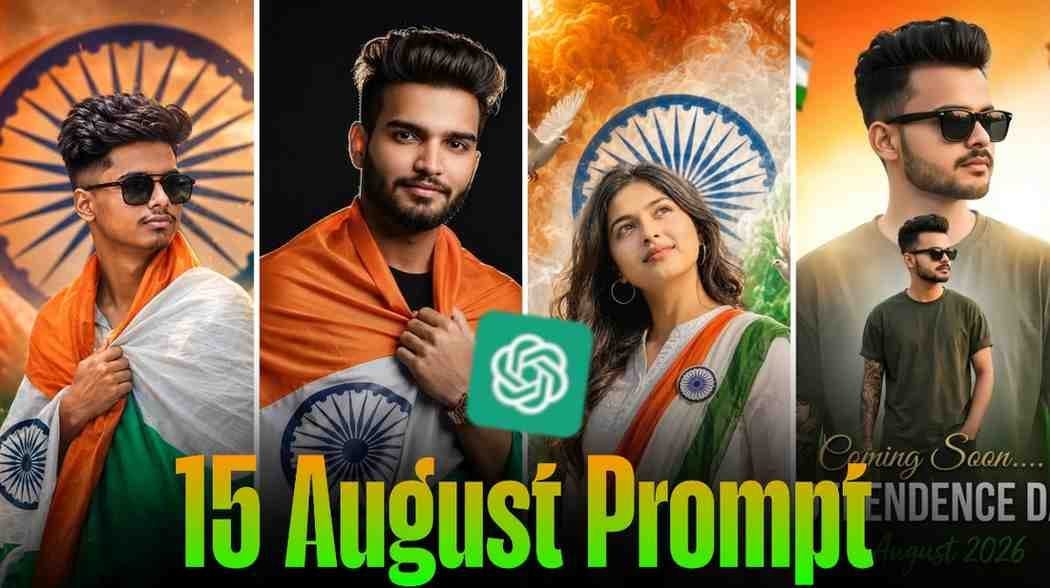
15 August Independence Day is not just a national holiday. It is a day of pride and honor for every Indian. To make this day even more memorable, many people are now using AI to create unique photos. ChatGPT has become one of the most popular tools for creating 15 August Independence Day AI Photos.
In just a few minutes, you can turn a simple photo into a beautiful patriotic image. People are sharing these AI photos on Facebook, Instagram, WhatsApp, and other social media platforms to celebrate Independence Day. In this article, you will learn why 15 August is so important, why ChatGPT AI photos are becoming so popular, how to create your own AI photo, where to find the best prompts, and how to make your AI photo look more realistic.
What is 15 August Independence Day and Why It’s Special
15 August is India’s Independence Day. On 15 August 1947, India became free from British rule. Every year, people across the country celebrate this historic day with great pride and respect. The national flag is hoisted, cultural programs are organized, and people remember the freedom fighters who helped the country achieve independence.
This day is very special for every Indian because it represents freedom, unity, and national pride. That is why many people create patriotic AI photos with the Indian flag, tricolor themes, and Independence Day backgrounds. These photos are a simple way to express love and respect for the country.
Why ChatGPT AI Photos Are Going Viral This Independence Day
As 15 August gets closer, Independence Day AI Photo Editing become more popular on social media. Many people update their profile pictures, share patriotic posts, and celebrate with their friends and family. This is one of the biggest reasons why ChatGPT AI photos are going viral.
Creating an attractive AI photo takes only a few minutes, and you do not need advanced editing skills. People love sharing these unique photos on Facebook, Instagram, and WhatsApp. Because of this, ChatGPT has become one of the most popular ways to create Independence Day-themed AI images.
How to Create a Photo Using ChatGPT – 15 August Independence Day Special
- Creating a 15 August Independence Day AI photo with ChatGPT is very simple.
- First, copy one of the prompts given below. Then open ChatGPT and paste the prompt into the chat. After that, upload a clear photo where your face is easy to see.
- Once your photo is uploaded, ask ChatGPT to create the image based on the prompt. In a short time, it will generate a beautiful Independence Day-themed AI photo.
- When your photo is ready, you can share it on Facebook, Instagram, WhatsApp, or any other social media platform. The entire process is easy, even for beginners.
Best 15 August ChatGPT Prompts (Copy & Paste)
To make things easier, we have provided some of the best 15 August Independence Day ChatGPT prompts below. For your convenience, there is a separate section for boys and another section for girls. Simply choose the prompt you like, copy it, and use it in ChatGPT. Then upload a clear photo, and ChatGPT will create a beautiful Independence Day-themed AI image for you. You do not need any complicated settings, making the process quick and easy for everyone.
Prompts for Boys
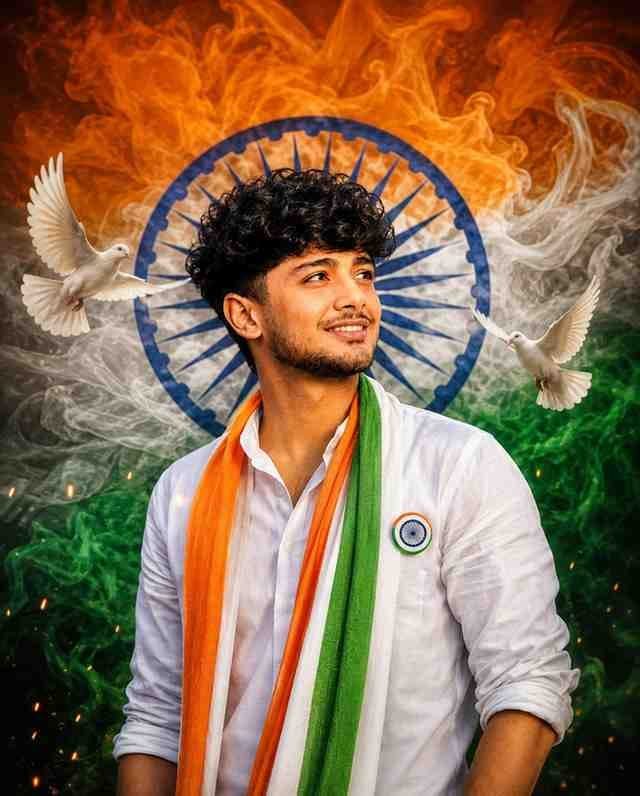
A cinematic patriotic portrait of a young Indian man looking upward with pride and hope, wearing a crisp white shirt, flowing saffron-white-green tricolor scarf, and Ashoka Chakra badge. Dramatic Indian tricolor smoke surrounds him, with a large blue Ashoka Chakra forming a halo behind his head. Two white doves fly beside him, symbolizing peace and freedom. Warm cinematic lighting, realistic skin texture, natural facial features, volumetric smoke, dramatic depth, photorealistic, ultra-detailed, inspirational mood, 8K Ultra HD.Prompts for Girls
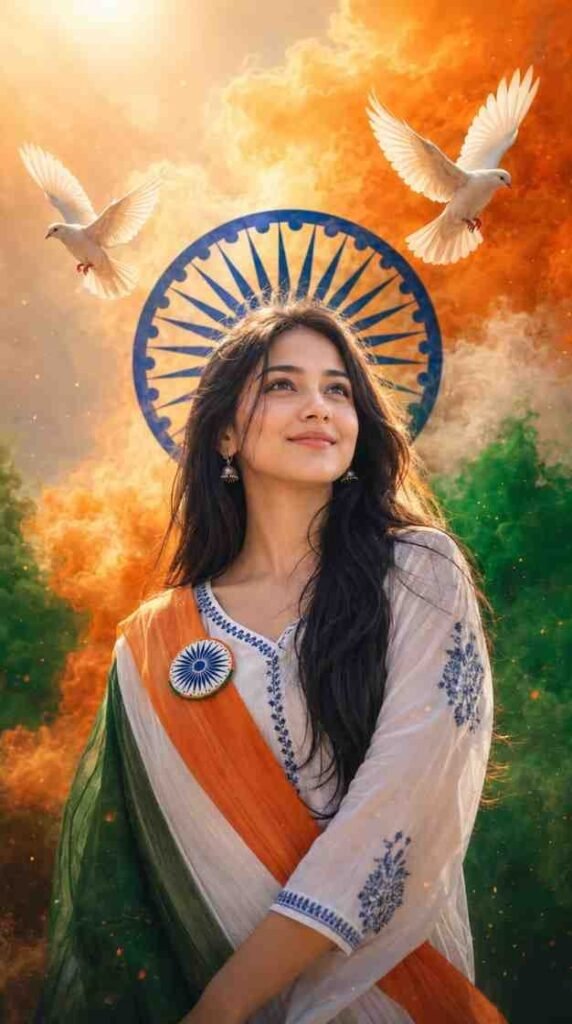
Cinematic patriotic portrait of a young Indian woman looking upward with pride and hope, wearing a white kurta with a saffron-white-green tricolor sash and Ashoka Chakra badge. Vibrant tricolor smoke, a large blue Ashoka Chakra halo behind her, and two flying white doves symbolizing peace and freedom. Warm cinematic lighting, realistic skin, natural features, dramatic depth, photorealistic, ultra-detailed, 8K.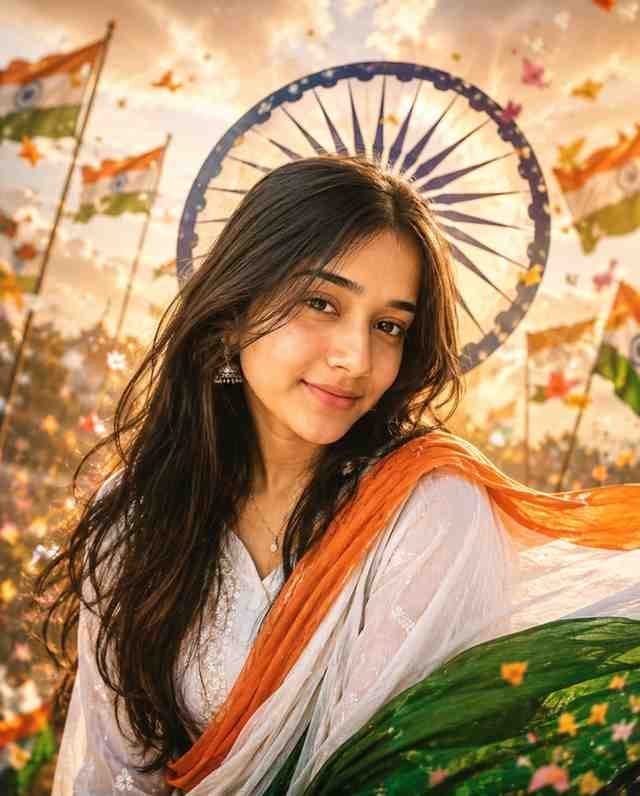
Transform the uploaded photo into a stunning 15th August Independence Day portrait of a young woman. She is wearing an elegant white traditional outfit with a flowing tricolor dupatta (saffron, white, and green). Add a realistic Ashoka Chakra behind her, soft golden sunlight, fluttering Indian flags, flower petals, cinematic lighting, premium color grading, ultra-realistic face, detailed hair, stylish pose, DSLR quality, 8K, luxury patriotic aesthetic.How to Fix Face Problem / Face Not Matching Issue in ChatGPT
Sometimes the face in an AI photo does not look exactly like the original person. This usually happens when the uploaded photo is dark, blurry, or low quality. To get better results, always use a clear photo taken in good lighting. Your face should be fully visible, and your eyes, nose, mouth, and ears should be easy to see. Avoid heavy filters, blurry images, or photos taken from far away. A clear front-facing photo helps ChatGPT understand your facial features more accurately and create a much better AI image.
Tips to Make Your AI Photo Look More Realistic
The quality of your uploaded photo plays the biggest role in creating a realistic AI image. Always choose a bright and clear photo with good lighting. Your face should be sharp, and all facial features should be clearly visible. Avoid dark, blurry, or low-resolution images because they make it harder for AI to recognize your face correctly.
It is also better to use a natural photo without too many filters or edits. A clean and high-quality photo will help ChatGPT create a more realistic and attractive AI image.
Best Apps/Tools to Use Along with ChatGPT for Editing
Today, there are many AI apps and tools available for creating AI images. However, ChatGPT is one of the best choices because it can match facial features more naturally when you use a good prompt and a clear photo.
If needed, you can make small adjustments such as brightness or colors using a basic photo editing app after the AI image is created. For creating realistic and high-quality Independence Day AI photos, ChatGPT remains one of the easiest and most reliable options.
Conclusion
We hope this guide helped you understand everything about creating 15 August Independence Day AI photos with ChatGPT. You have learned why Independence Day is so special, why these AI photos are becoming popular, how to create your own AI photo, where to find the best prompts, and how to make your image look more realistic.
If your face does not match perfectly, you also know how to improve the results by using a clear, high-quality photo. Now choose your favorite prompt from the Boys or Girls section, use it in ChatGPT, and create a beautiful Independence Day AI photo to celebrate the occasion.

![100+ Best ChatGPT Photo Editing Prompts Text [Copy Paste]](https://preseteditor.in/wp-content/uploads/2026/08/100-Best-ChatGPT-Photo-Editing-Prompts-Text-Copy-Paste-305x207.jpeg)